Future-Proofing Your Home Office: What to Upgrade and When
17 August 2026
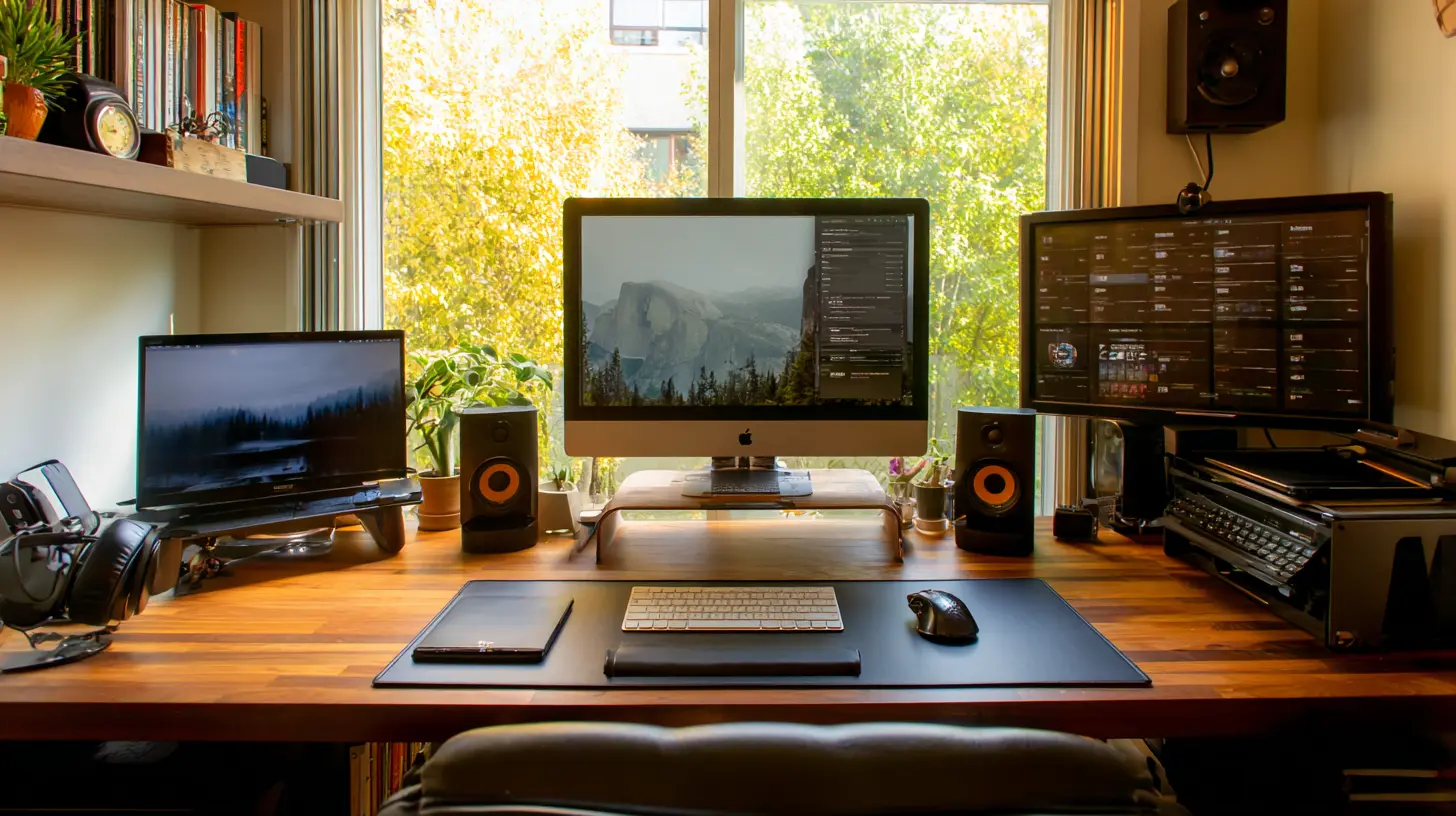
There is a quiet moment in every home office when the tools you once chose with care begin to feel like relics. The keyboard still types, the monitor still glows, the chair still holds you up. But something has shifted. The work you do has outgrown the space you do it in, and the technology that felt futuristic three years ago now feels like a polite apology for what you actually need. This is not a problem of budget or brand loyalty. It is a problem of timing. Knowing what to upgrade, and more importantly when to upgrade it, is the difference between a home office that works for you and one that simply exists around you.
Most people treat home office upgrades like home repairs. They wait until something breaks, then panic-buy a replacement that is slightly better than what they had, and call it a day. That approach is expensive, inefficient, and emotionally draining. The better way is to think in cycles. Technology has a predictable lifespan, and your needs have a predictable growth curve. If you can line those up, you can make upgrades that feel like investments instead of emergencies.
Let us start with the foundation. The desk and chair are not glamorous, but they are the load-bearing walls of your entire setup. A common mistake is to buy a beautiful desk first and then squeeze a chair into the remaining budget. That is backwards. Your body interacts with the chair for more hours than it interacts with anything else in the room. A poor chair does not just cause back pain. It causes fatigue, poor posture, reduced circulation, and a slow erosion of focus that you will blame on everything except the actual culprit.
The right time to upgrade your chair is when you notice that you are adjusting your position more than once every twenty minutes. That fidgeting is not a personality flaw. It is your body telling you that the support structure is failing. A good ergonomic chair should feel neutral, meaning you do not notice it while you are working. If you are constantly aware of the seat, the armrests, or the lumbar support, it is time to look at something better. The same logic applies to desks. If you are propping your monitor on books or stacking boxes to get the screen to eye level, you are not being resourceful. You are being held back. A sit-stand desk is not a luxury item. It is a metabolic intervention. The research on prolonged sitting is clear enough that you do not need to wait for a specific study to justify the purchase. If you have been sitting for more than four hours a day for over a year, that is your signal.
Now, the monitor. This is where most people either overspend or underspend, and both mistakes are understandable. The overspend happens because monitor specs are easy to compare, and the numbers are seductive. Refresh rates, resolution, color accuracy, HDR brightness. It is easy to convince yourself that you need the best of everything. The underspend happens because monitors last a long time, and people assume that a screen that still turns on is a screen that is still doing its job. That assumption ignores the real cost of a bad monitor, which is not the price tag. It is the eye strain, the neck craning, the constant squinting at text that is not quite sharp, and the subtle color shifts that make your design work look wrong on other people's screens.
The upgrade trigger for a monitor is not age. It is resolution relative to your actual work. If you are working on a 1080p screen and you are doing anything that involves text, spreadsheets, or code, you are probably due for an upgrade to 1440p or 4K. The difference is not just sharpness. It is the amount of content you can see at once. A 27-inch 1440p monitor shows you roughly twice as much as a 24-inch 1080p monitor, and that extra space changes how you work. You stop alt-tabbing between windows. You stop squinting at small text. You stop feeling like you are working through a keyhole. If you are on a laptop, the upgrade path is even clearer. A single external monitor, even a modest one, is the single highest-impact productivity purchase you can make. It is not close.
The computer itself is the hardest upgrade to time, because it is the most emotional. People get attached to their machines. They name them, they defend them, they insist that the old laptop is still fine even when it takes three minutes to boot and the fan sounds like a small aircraft. The practical rule is to upgrade when your machine starts to shape your behavior instead of the other way around. If you are closing applications to free up memory, if you are saving work before switching windows, if you are avoiding certain tasks because they make the machine slow, then the machine has become the bottleneck. That is the moment.
But here is the nuance. The best time to buy a new computer is not when the old one dies. It is when the old one is still working well enough to sell or repurpose. A two-year-old laptop with a clean install and a fresh battery is worth real money. A five-year-old laptop with a cracked hinge and a dying SSD is e-waste. If you plan your upgrade cycle around the resale value, you can effectively reduce the cost of every new machine you buy. This is not about being cheap. It is about being smart with your capital. The same logic applies to peripherals. Keyboards and mice are consumables, but they are consumables with a long shelf life. A good mechanical keyboard can last a decade. A cheap membrane keyboard will feel mushy within a year. The upgrade trigger here is not failure. It is comfort and speed. If you are typing for more than three hours a day, a keyboard with proper tactile feedback and a mouse that fits your hand are not indulgences. They are the difference between a day that ends with tired wrists and a day that ends with energy to spare.
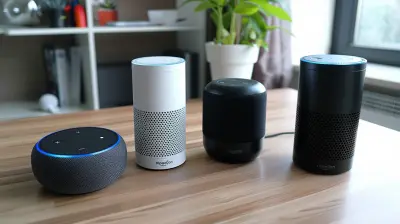
Audio is the most overlooked part of the home office, and it is also the most personal. There is no universal right answer for speakers versus headphones, because the right choice depends on whether you share your space with other people. If you live alone, a good pair of speakers can fill the room with sound and make the space feel less like a cubicle. If you live with a partner or roommates, a good pair of open-back headphones will give you a wide soundstage without leaking audio into the hallway. The upgrade trigger for audio is not loudness. It is clarity. If you are turning up the volume to hear dialogue in a meeting, or if you are straining to understand what someone is saying on a call, your audio setup is failing you. A dedicated USB microphone is another upgrade that pays for itself quickly. The built-in microphone on a laptop is fine for casual calls, but it picks up keyboard noise, room echo, and the low rumble of your refrigerator. A decent condenser microphone with a pop filter will make you sound like you care, and in a remote work environment, sounding like you care is a career advantage.
The network is the invisible backbone of the home office, and it is the most common source of frustration that people misdiagnose. If your video calls freeze, if your files take forever to upload, if your cloud backups stall at two in the morning, the problem is almost never your internet plan. It is your router, your Wi-Fi coverage, or your network configuration. The upgrade trigger for networking is not speed. It is consistency. A connection that drops once a day is worse than a connection that is slow but steady. If you are working in a room that is far from your router, a mesh system is the upgrade that will actually solve your problem, not a more expensive internet package. If you are doing large file transfers or video editing, a wired Ethernet connection to your computer will eliminate the latency and packet loss that Wi-Fi introduces, even on the best days.
Power management is the upgrade that nobody thinks about until it is too late. A single power surge from a storm or a faulty appliance can destroy a motherboard, a monitor, or an external drive in a fraction of a second. A good uninterruptible power supply, or UPS, does two things. It protects your equipment from surges and brownouts, and it gives you enough time to save your work and shut down cleanly when the power goes out. The upgrade trigger for a UPS is not the age of your equipment. It is the value of your work. If you have ever lost an hour of unsaved work to a sudden shutdown, you already know the cost. A UPS is insurance, and like all insurance, it is boring until the moment it saves you.
Lighting is the upgrade that changes everything and gets the least attention. The harsh overhead light in most rooms creates glare on screens and shadows on faces. The solution is not more light. It is softer, more directional light. A good desk lamp with a warm color temperature, placed to the side of your monitor, will reduce eye strain and make your video calls look dramatically better. If you are on camera regularly, a small LED panel or ring light positioned at eye level will make you look professional without the expense of a full studio setup. The upgrade trigger for lighting is when you start noticing how tired your eyes feel at the end of the day, or when you look at screenshots from your video calls and wonder why you look like a ghost.
Software is the upgrade that people forget because it is invisible. But the tools you use every day have their own lifecycles, and running outdated software is a security risk and a productivity drain. The upgrade trigger for software is not the release of a new version. It is the moment when the tool you are using starts to fight you. If your calendar app does not sync properly with your email, if your note-taking app does not handle images well, if your project management tool makes you click five times to do what should take one click, it is time to switch. The cost of switching is real, but the cost of staying is often higher. The best time to switch is not during a busy season. It is during a quiet week when you can afford the learning curve.
Storage is the silent killer of home office performance. A hard drive that is ninety percent full will slow down dramatically, not because the drive is old, but because the file system has to work harder to find space. The upgrade trigger for storage is not capacity. It is speed. If you are still using a spinning hard drive as your primary drive, you are living in the past. An SSD, or solid state drive, will make an old computer feel new again. If you are already on an SSD but you are running out of space, the upgrade is not a bigger drive. It is a cloud backup service and a clean-up routine. The goal is to keep your local drive at about seventy percent capacity, so the system has room to breathe.
The webcam is the final piece, and it is the one that most people ignore until they are forced to look at themselves on a call. The built-in camera on most laptops is mediocre. It is grainy in low light, it has a narrow field of view, and it sits at an unflattering angle. A dedicated webcam with a wider lens and better sensor will make you look sharper and more present. The upgrade trigger is not vanity. It is professionalism. In a remote work environment, your face is your brand. A good webcam is the difference between looking like you are broadcasting from a cave and looking like you are in a modern office.
The timing of all these upgrades matters, but the order matters more. Start with the things that touch your body. Chair, desk, keyboard, mouse. Then move to the things that touch your eyes. Monitor, lighting. Then the things that touch your ears. Audio. Then the things that touch your data. Network, storage, power. Then the things that touch your image. Webcam, microphone. This order is not arbitrary. It follows the hierarchy of your physical and cognitive needs. You cannot focus on your work if your body is uncomfortable. You cannot focus if your eyes are straining. You cannot focus if your tools are slow. You cannot focus if you look and sound like you are not taking the work seriously.
A common misconception is that future-proofing means buying the most expensive version of everything so you never have to upgrade again. That is a fantasy. Technology changes too fast, and your needs change with it. The real goal is to build a system that is modular, so you can upgrade one piece at a time without throwing everything away. A good monitor will outlast three computers. A good chair will outlast five. A good microphone will outlast a decade of laptops. The pieces that should be replaced often are the ones that are cheap and fast-moving, like cables, adapters, and small peripherals. The pieces that should be bought well are the ones that are expensive and slow-moving, like the desk, the chair, and the monitor.
Another misconception is that you need to upgrade everything at once. You do not. In fact, upgrading everything at once is a mistake, because you will not have time to adjust to each change, and you will not know which changes are actually helping. The better approach is to upgrade one thing, live with it for two weeks, and then decide what is next. This gives you time to notice the difference, and it gives your budget time to recover.
The best time to start future-proofing your home office is not when you have a windfall or when a new product launches. It is when you notice that your space is holding you back. That moment is different for everyone. For some people, it is the first time they realize they have been working from the couch for a week. For others, it is the day they count how many times they have to plug and unplug the same cable. For others, it is the moment they see themselves on a video call and think, I look like I do not care.
When that moment comes, do not panic. Do not buy everything at once. Do not chase the latest specs. Start with the chair. Then the monitor. Then the network. Then the rest. Each upgrade will make the next one feel more necessary, and soon you will have a space that does not just accommodate your work. It will amplify it.
The home office is not a luxury. It is the place where your professional life happens, and it deserves the same consideration you would give to a physical office. You would not work in a room with bad lighting, a broken chair, and a computer that takes five minutes to boot. But millions of people accept exactly that at home because they think of it as temporary or because they do not know where to start. The truth is that a few targeted upgrades, timed correctly, can transform the way you work. And the best time to start is now, not because you need to spend money, but because you deserve to work in a space that respects your time and your talent.
all images in this post were generated using AI tools
Category:
Home Office TechAuthor:

Gabriel Sullivan